MeetMe
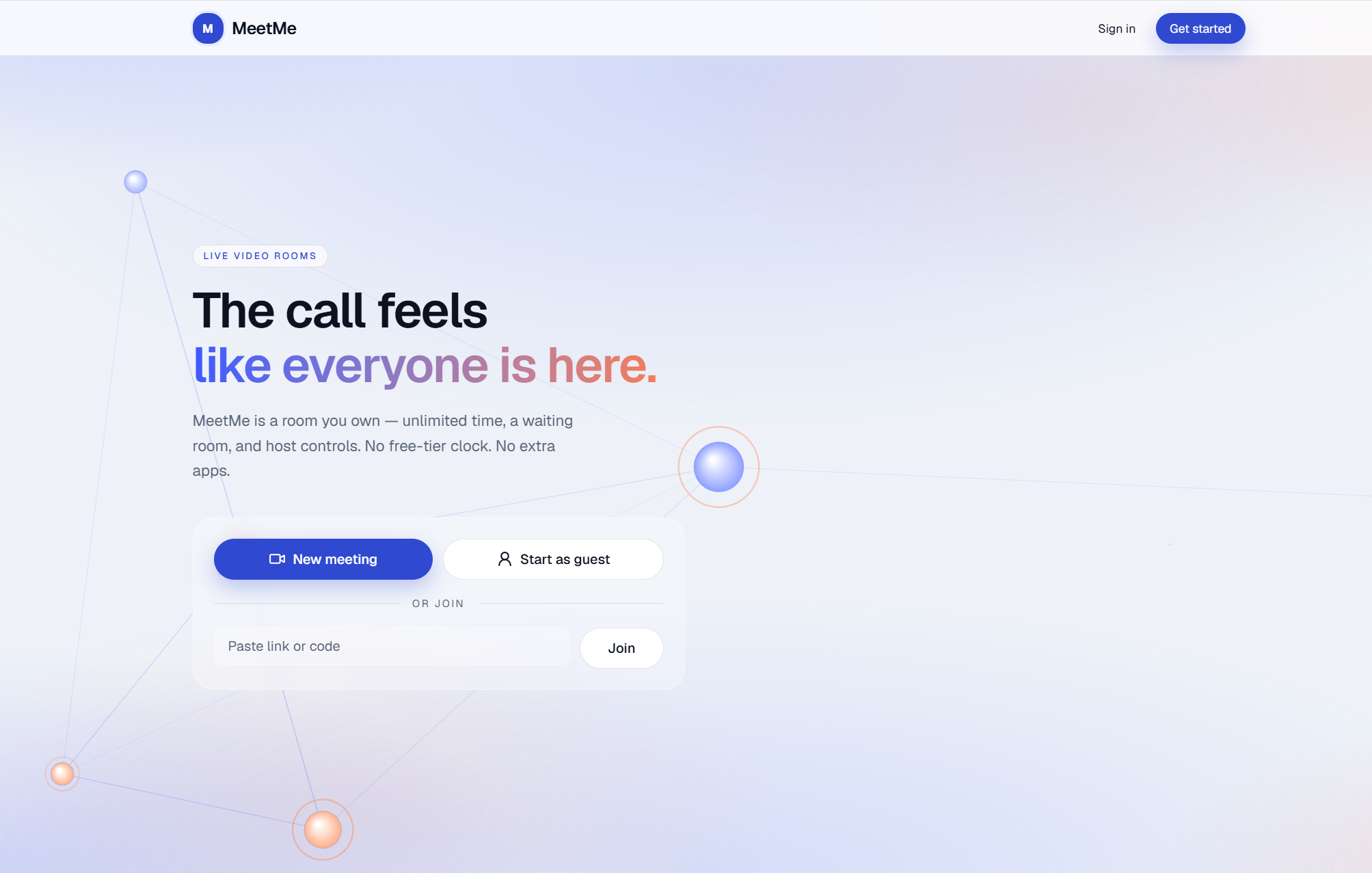
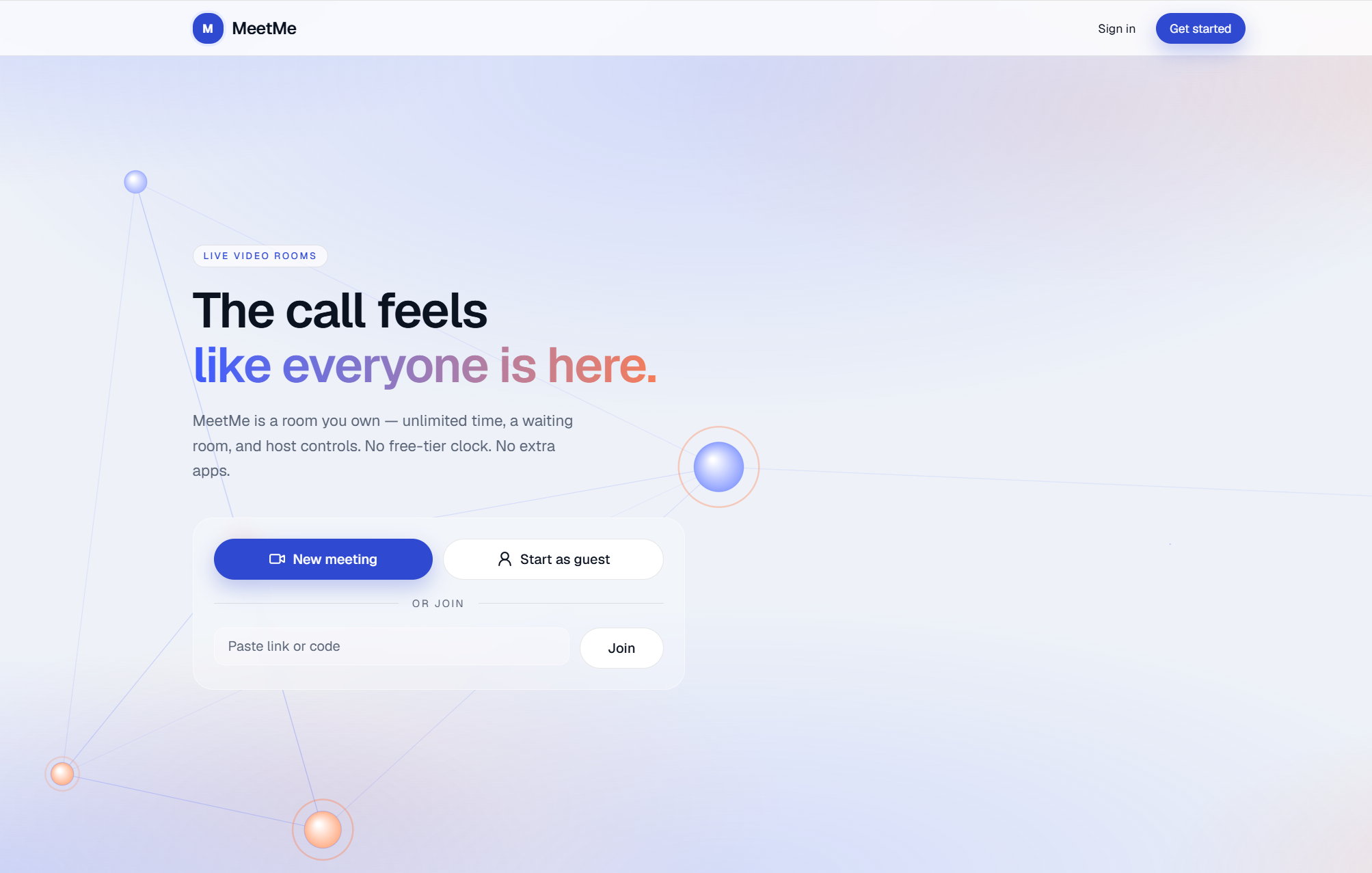
A self-hosted video meeting platform — a lightweight Google Meet alternative with waiting rooms, guest hosting, collaborative tools, and host-controlled permissions.
 CSS
 Docker
 Git / GitHub
 Next.js
MeetMe
The problem
Google Meet’s free plan caps meetings at about one hour, and it is light on built-in tools like recording and a shared whiteboard. I built MeetMe as my own meet-style platform with no meeting time limit, plus host-controlled recording, a collaborative whiteboard, waiting rooms, guest hosting, and screen-share tools — so calls are not cut short and collaboration is not bolted on through other apps.
My role
Solo full-stack developer. I designed and built the product end to end: Next.js UI and REST API, jose JWT sessions, Prisma / PostgreSQL schema, LiveKit rooms and data-channel sync, Progressive Web App (PWA) install and offline shell, responsive phone/tablet meeting UI, Docker local stack, and production deploy on Vercel, Supabase Postgres, and LiveKit Cloud.
This is a web PWA, not a React Native app. Phones and tablets use the same Next.js client, adapted for small screens and add-to-home-screen install.
Tech stack
- Next.js
- React
- TypeScript
- Tailwind CSS
- Progressive Web App (Web App Manifest + Service Worker)
- Node.js
- REST API
- Supabase
- PostgreSQL
- Docker
- Vercel
- Git / GitHub
Next.js 16 (App Router) serves both the UI and /api. Prisma talks to PostgreSQL. LiveKit handles WebRTC media and in-call data messages. The web client is installable as a PWA via manifest.ts, public/sw.js, and Apple web-app meta. Locally, Docker Compose runs Postgres and LiveKit; production uses Vercel + Supabase + LiveKit Cloud.
Features
- Instant meetings with shareable codes, registered hosts, or guest hosts
- Waiting room so the host admits or denies people before they enter
- HD video and audio through LiveKit WebRTC
- Host-approved screen share with a live highlighter overlay
- Shared whiteboard with a single host-assigned editor
- Hand raise, participant sidebar, and one-click copy of the join link
- Host-controlled recording and screen-share permissions
- Register / login, dashboard, and admin panel
- Join or host without an account
- PWA: installable from the browser (home-screen icon, standalone display, theme color, Apple web-app support)
- Responsive meeting UI: larger touch targets, mobile-safe media menus, and a whiteboard that uses a Tools bottom sheet on phone/tablet while keeping the full toolbar on laptop
- Landing, auth, dashboard, and admin layouts adapted for phone and tablet
Architecture
Meeting workflow
- Host creates a meeting (registered user or guest with name).
- Participants open
/m/{code}and request to join. - If the waiting room is enabled, the host admits them from People.
- The API issues a LiveKit JWT; the client connects to the WebRTC room.
- In-call features (whiteboard, highlighter, hand raise) sync over LiveKit data topics.
- Host can end the meeting for everyone, or participants can leave.
Challenges & solutions
Shared whiteboard without colliding strokes
Challenge: Several people drawing at once over WebRTC made strokes collide and boards diverge for late joiners.
Solution: The host assigns a single editor (handover or revoke). Strokes sync over LiveKit data channels, not API polling. Each stroke has an ID so clients can dedupe, and late joiners request a full sync_full snapshot.
Screen-share highlighter across resolutions
Challenge: Pointer overlays drifted when the sharer and viewers had different screen sizes.
Solution: The highlighter sends normalized coordinates (0–1). Each client maps them onto its own video bounds so the mark stays on the same content.
Auth and API on one origin
Challenge: A separate API host made cookie sessions and CORS painful in production.
Solution: The REST API lives in Next.js Route Handlers. Sessions use a jose HS256 JWT in an httpOnly meetme_session cookie, so the browser stays same-origin on /api.
Leave looked like a crash
Challenge: Leaving a call disconnected LiveKit, which fired onDisconnected and showed a connection-failed modal.
Solution: Leave and End are marked intentional. That disconnect sends people back to the dashboard instead of treating it as an error.
Prisma on a pooled production database
Challenge: Schema migrations fail through a transaction pooler (PgBouncer), while the app needs pooled connections at runtime.
Solution: DATABASE_URL uses the Supabase pooler on port 6543 with pgbouncer=true. DIRECT_URL uses the session or direct port 5432 for prisma migrate.
Media load during share and recording
Challenge: Screen share plus camera plus in-browser recording could overload a laptop and stall the room.
Solution: Share is capped (720p / 10 fps), the camera drops to a low layer while sharing, background blur pauses, and local recording uses a lighter 360p / 6 fps clone of the audio.
Phone and tablet without a native app
Challenge: Building a separate React Native client would duplicate auth, join flow, and LiveKit UI. A plain desktop meeting chrome also overflowed on small screens (whiteboard tools cut off, thin CTAs, mic/cam menus hard to open).
Solution: Ship a Progressive Web App on the same Next.js codebase: Web App Manifest, service worker, install prompt, and Apple web-app meta. Responsive CSS adapts landing and meeting chrome. Whiteboard keeps every feature: a Tools bottom sheet on mobile/tablet, full on-screen toolbar from 1024px up. Meeting title and dock stay hidden while the board is open so they do not cover drawing tools. The service worker is disabled in local development so HMR and cache do not hide UI updates.
PWA & responsive mobile
MeetMe is installable from Chrome / Safari as a web app. There is no separate native binary for this phase.
| Piece | Location | Role |
|---|---|---|
| Web App Manifest | frontend/app/manifest.ts | Name, icons, standalone display, theme color |
| App icons | frontend/app/icon.tsx, apple-icon.tsx, icons/ | Browser and home-screen icons |
| Service worker | frontend/public/sw.js | Cache shell assets; registered from components/pwa/pwa-register.tsx |
| Install UI | components/pwa/install-prompt.tsx | beforeinstallprompt / “Add to Home Screen” |
| Apple meta | app/layout.tsx (appleWebApp, viewportFit: cover) | iOS status bar and safe areas |
| Mobile meeting chrome | meeting-room.css, dock / media controls | Touch-friendly trays, hang-up, people panel |
| Whiteboard | whiteboard-panel.tsx | Tools sheet under 1024px; full toolbar on laptop |
How to try the PWA locally
- Run the app (
pnpm devinfrontend/). - Open the site in Chrome (desktop device mode or a phone on the same LAN).
- Use Install app / Add to Home Screen when the prompt appears (HTTPS or localhost required for install).
Project structure
meetme/
├── frontend/                 # Next.js web app + API (port 3000)
│   ├── app/                  # Pages, Route Handlers, manifest + icons
│   ├── components/
│   │   ├── meeting/          # Room UI, whiteboard, media controls
│   │   └── pwa/              # Service worker register + install prompt
│   ├── public/sw.js          # PWA service worker
│   ├── lib/server/           # Auth, meetings, LiveKit, Prisma
│   └── prisma/               # Schema and migrations
├── scripts/                  # dev.sh, dev-local.ps1
├── docker-compose.yml        # PostgreSQL + LiveKit
└── livekit.yaml              # LiveKit server config (reference)
Prerequisites
- Node.js 20+ and pnpm
- Docker & Docker Compose (PostgreSQL, LiveKit)
- Git
Local development
1. Clone and configure
git clone https://github.com/GhayoorAli/meetme.git
cd meetme
cp frontend/.env.local.example frontend/.env.local
NEXT_PUBLIC_API_URL=

DATABASE_URL=postgresql://meetme:meetme@127.0.0.1:5432/meet_db?connect_timeout=15
DIRECT_URL=postgresql://meetme:meetme@127.0.0.1:5432/meet_db?connect_timeout=15
AUTH_SECRET=change-me-in-production-use-a-long-random-string
APP_URL=http://localhost:3000

LIVEKIT_URL=ws://localhost:7880
LIVEKIT_API_KEY=devkey
LIVEKIT_API_SECRET=secret
Leave NEXT_PUBLIC_API_URL empty so the browser calls /api on the same origin. Locally, DATABASE_URL and DIRECT_URL can be the same Docker URL.
2. Start PostgreSQL + LiveKit
docker compose up -d --remove-orphans
On Windows PowerShell:
.\scripts\dev-local.ps1
| Service | URL / Port |
|---|---|
| Next.js (web + API) | http://localhost:3000 |
| PostgreSQL | 127.0.0.1:5432 (meetme / meetme / meet_db) |
| LiveKit | ws://localhost:7880 |
3. Migrate and run the web app
cd frontend
pnpm install
pnpm db:migrate
pnpm dev
Open http://localhost:3000. The first registered user becomes an admin.
Environment variables
| Variable | Where | Description |
|---|---|---|
NEXT_PUBLIC_API_URL | Web | Leave empty for same-origin /api |
DATABASE_URL | Web | PostgreSQL URL (Supabase: transaction pooler, port 6543) |
DIRECT_URL | Web | PostgreSQL URL for migrations (Supabase: direct/session, port 5432) |
AUTH_SECRET | Web | JWT signing secret (16+ characters) |
APP_URL | Web | Public site URL (join links) |
LIVEKIT_URL | Web | WebSocket URL returned to clients |
LIVEKIT_API_KEY / LIVEKIT_API_SECRET | Web | LiveKit credentials |
LIVEKIT_NODE_IP | Compose | Advertised IP for LAN WebRTC |
GOOGLE_CLIENT_ID / GOOGLE_CLIENT_SECRET | Web | Google OAuth web client (see below) |
Google sign-in
Email/password always works. Google is optional.
- In Google Cloud Console finish Get started, then Clients → Create client → Web application.
- Local: origin
http://localhost:3000, redirecthttp://localhost:3000/api/auth/google/callback. - Production: origin
https://www.your-domain.com, redirecthttps://www.your-domain.com/api/auth/google/callback(add bothwwwand apex if both are used). - Set
GOOGLE_CLIENT_IDandGOOGLE_CLIENT_SECRETinfrontend/.env.local(local) and on Vercel (live).APP_URLmust match the site people actually open, or Google will show the Vercel hostname.
A Google login with the same Gmail as an existing account is linked to that user.
API overview
Auth login/register return { data: User, token }. The web app stores the JWT in an httpOnly cookie.
| Method | Endpoint | Description |
|---|---|---|
POST | /api/auth/register, /api/auth/login | Authentication |
GET | /api/auth/google | Start Google OAuth |
POST | /api/auth/logout | Clear session cookie |
GET | /api/user | Current user |
POST | /api/meetings | Create meeting (auth) |
POST | /api/meetings/guest | Create guest-hosted meeting |
GET | /api/meetings/{code} | Meeting metadata |
POST | /api/meetings/{code}/join | Join or resume session |
GET | /api/meetings/{code}/join-status | Poll waiting / restore admitted |
POST | /api/meetings/{code}/participants/{id}/admit | Host admit |
POST | /api/meetings/{code}/end | End meeting for all |
GET | /api/admin/* | Admin dashboard (auth + admin) |
Deployment notes
| Component | Local | Live |
|---|---|---|
Web + API (frontend/) | pnpm dev | Vercel or frontend/Dockerfile |
| PostgreSQL | Docker Compose (5432) | Supabase or other managed Postgres |
| LiveKit | Docker Compose (7880) | LiveKit Cloud |
Vercel hosts the Next.js site and /api. Video is LiveKit Cloud.
Use HTTPS and wss:// LiveKit URLs in production. Set a strong AUTH_SECRET. Do not commit database or API secrets.
Supabase (production database)
MeetMe uses Supabase only as Postgres. Do not enable Supabase Auth.
- Create a project at supabase.com.
- On the project home, open Get connected → ORM (or Direct) and copy two URIs:
- Transaction pooler (port
6543) →DATABASE_URL. Add?pgbouncer=true(andsslmode=requireif missing). URL-encode special characters in the password (@→%40,!→%21,+→%2B,$→%24). - Session pooler or Direct (port
5432) →DIRECT_URL.
- Transaction pooler (port
- From
frontend/, apply migrations against those URLs (do not leave Docker127.0.0.1in the shell when targeting Supabase):
pnpm db:deploy
- Put the same two variables on Vercel.
Vercel (web + API)
- Import the GitHub repo. Set Root Directory to
frontend. - Build command:
prisma migrate deploy && prisma generate && next build
- Environment variables (Production and Preview):
| Name | Value |
|---|---|
DATABASE_URL | Supabase pooler (6543) |
DIRECT_URL | Supabase session/direct (5432) |
AUTH_SECRET | Random string you generate (32+ characters) |
APP_URL | Public site origin, e.g. https://www.meet-me.tech (no trailing slash) |
LIVEKIT_URL | wss://….livekit.cloud |
LIVEKIT_API_KEY / LIVEKIT_API_SECRET | LiveKit Cloud keys |
GOOGLE_CLIENT_ID / GOOGLE_CLIENT_SECRET | Optional, for Continue with Google |
NEXT_PUBLIC_API_URL | Leave empty (do not reuse old BACKEND_URL / NEXT_PUBLIC_LIVEKIT_URL) |
- After the first deploy, register on the live site. The first user is admin.
- Custom domain: attach it in Vercel, then set
APP_URLto that origin and add the same origin/callback in Google Cloud.
LiveKit Cloud
Reuse a LiveKit Cloud project (no Agents). Copy the WebSocket URL (wss://) and API key/secret. Do not set LIVEKIT_NODE_IP in production — that is only for local Docker.
Troubleshooting
| Issue | Fix |
|---|---|
| Login / join fails locally | PostgreSQL on 5432, pnpm db:migrate, Next on 3000 |
pnpm db:deploy hits 127.0.0.1 | .env still points at Docker; pass the Supabase URLs in the same shell |
| Prisma cannot connect locally | Use 127.0.0.1 not localhost if IPv6 hangs; set DIRECT_URL as well |
| No video locally | docker compose ps — LiveKit on 7880 |
| No video in production | LIVEKIT_URL must be wss:// from LiveKit Cloud; redeploy after env changes |
| Google: “not set up yet” | Add GOOGLE_CLIENT_ID / GOOGLE_CLIENT_SECRET and redeploy; or use email/password |
Google shows *.vercel.app | Set APP_URL to the custom domain and open the app on that domain |
License
MIT — add a LICENSE file before publishing if you want to open-source the repo.
A closer look.